

Game accelerator for Dead by Daylight
SLARP for Windows optimizes ping and jitter in Dead by Daylight from Steam and the Epic Games Store.
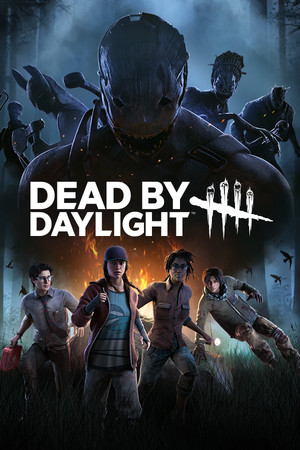
- Platform
- Windows 10 and 11
- In SLARP
- Steam · Epic Games Store
- Game anti-cheat
- Easy Anti-Cheat1
- Trial
- 72 hours, no card
SLARP and DbD
Dead by Daylight, or simply DbD, is in the SLARP catalog in both PC versions at once. The app recognizes the Steam version by the DeadByDaylight-Win64-Shipping.exe process and the Epic Games Store version by DeadByDaylight-EGS-Shipping.exe. There is no separate catalog entry for the Microsoft Store version.
What SLARP does
Routes DbD through its own network and optimizes ping and jitter
Picks the route to the server: the node is chosen for you, or you choose a city
If the connection drops, it finds a fallback route
Everything else on your PC runs as usual
What SLARP does not do
Does not change the region or the server in the game — you pick those in the game itself
Does not raise FPS and does not fix stutter caused by load on your PC
Will not help when the game's own servers are down
Works only on Windows 10 and 11: SLARP does not run on a phone or a console
Does not configure your router: NAT type and port forwarding stay as they are
If DbD stutters
Ping jumps on Wi-Fi
The first thing Behaviour support recommends is connecting the PC with a cable: a wired connection is usually steadier than wireless. If you cannot run a cable, move the router closer. SLARP will not remove Wi-Fi interference in your home; its work starts further out: the route from you to the game server.2
The match stutters while something is downloading
The game's support asks you to close unneeded programs before launching. Updates, torrents and video share one line with the match. SLARP routes only the chosen game through its own network, but the game and the downloads share the same line, so it is better to pause the downloads.2
Error 130 at sign-in
According to Behaviour's help, error 130 means the game's servers are overloaded: too many people are launching it at the same time. Support asks you to wait 15–30 minutes and try again. That is a queue on the game's side; SLARP will not shorten it.3
More in the guides: Why ping spikes and how to find the cause · Wi-Fi or cable: what a wire gives a game
Anti-cheat and SLARP
Dead by Daylight is protected by Easy Anti-Cheat — a kernel-level anti-cheat, as stated on the game's Steam page.1
Game mode does not inject into the game and does not install an intercept driver on its traffic. We cannot vouch for publishers and their anti-cheat: they decide for themselves what counts as a violation.
If the game complains, take it off acceleration (“Don't accelerate (direct)” in the game's menu) and press “Report a problem”.
How to start
Download and install
Windows 10 and 11
Open SLARP and sign in
No account yet — press “Start: 72 hours free”. Email or Telegram, no card needed
Pick Dead by Daylight and connect
SLARP finds the installed game on its own
Questions about DbD
Does SLARP work with the Epic Games Store version?
Yes. The SLARP catalog has both PC versions, each with its own process, so SLARP finds the installed one on its own. For playing through Epic, Behaviour support reminds you to agree to data sharing between your Epic account and the game, or the launch ends in an error.
Why is my ping high in DbD?
Ping is made up of the distance to the server, your ISP's route and your home network. The game's support recommends a cable instead of Wi-Fi, a closer router and closed background programs. The route is what SLARP handles: it picks the route to the server through its own network and watches ping, jitter and loss.
Can I play with friends on a console?
Yes, cross-play brings together PC (Steam, Microsoft Store, Epic Games), PlayStation, Xbox and Nintendo Switch. SLARP works only on a Windows PC and carries your game, while friends on consoles connect as usual.
What if no match is found?
The game's support recommends checking the NAT type on your router: an open one gives the best connection quality, while moderate and strict ones limit connections. If a match is not found only with SLARP on, take DbD off acceleration (“Don't accelerate (direct)”) and press “Report a problem”.
Do I need a card for the trial?
No. The 72 hours are given once per account, with no payment and no card.
Similar games
 Apex Legends
 Rust
Rust Rainbow Six Siege
 War Thunder
 Hunt: Showdown 1896
Sources
- Behaviour Interactive: Dead by Daylight page on Steam: anti-cheat notice — checked 5 October 2026
- Behaviour Interactive: Dead by Daylight Support: Network Troubleshooting — checked 6 October 2026
- Behaviour Interactive: Dead by Daylight Support: Error Code 130 — checked 6 October 2026
- Behaviour Interactive: Dead by Daylight Support: Why can't I play Dead by Daylight on Epic Games? — checked 6 October 2026
- Behaviour Interactive: Dead by Daylight Support: Which platforms are included in cross-play? — checked 6 October 2026
- Behaviour Interactive: Dead by Daylight Support: NAT FAQ (Network Issues) — checked 6 October 2026
Updated 6 October 2026
Dead by Daylight is a trademark of Behaviour Interactive. SLARP is not affiliated with Behaviour Interactive and names the game only to state compatibility. The cover is loaded from the Steam CDN.