

Game accelerator for Rainbow Six Siege
SLARP for Windows optimizes ping and jitter in Rainbow Six Siege — in both the regular version and the Vulkan version.
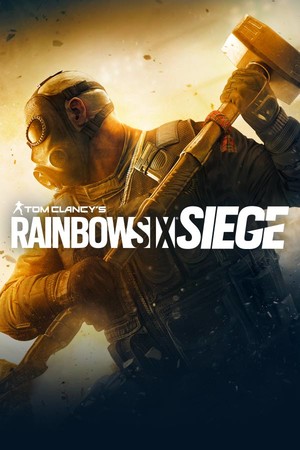
- Platform
- Windows 10 and 11
- In SLARP
- Steam · RainbowSix.exe
- Game anti-cheat
- BattlEye1
- Trial
- 72 hours, no card
SLARP and Siege
Rainbow Six Siege is in the SLARP catalog as a Steam game. The app recognizes the regular version by the RainbowSix.exe process and the Vulkan version by RainbowSix_Vulkan.exe. The launcher with the anti-cheat is not on this list, and that is deliberate: SLARP does not touch anti-cheat processes in any game.
What SLARP does
Routes Siege through its own network and optimizes ping and jitter
Picks the route to the server: the node is chosen for you, or you choose a city
If the connection drops, it finds a fallback route
Everything else on your PC runs as usual
What SLARP does not do
Does not change the region or the server in the game — you pick those in the game itself
Does not raise FPS and does not fix stutter caused by load on your PC
Will not help when the game's own servers are down
Works only on Windows 10 and 11: SLARP does not run on a phone or a console
If Siege stutters
You fired, but there was no hit
In Siege a single shot often decides the round, so packet loss is noticeable right away: the action reaches the server late or not at all. First rule out your home — a cable instead of Wi-Fi, no downloads in the background. If the loss remains, it is the route to the server: SLARP picks it through its own network and watches for loss until the end of the match.
Ping jumps from round to round
Ping jumps are jitter: packets travel unevenly, now quickly, now with a delay. The common causes are a congested ISP line and neighboring Wi-Fi networks. The first is what SLARP works with: on a bad route it looks for a fallback. Only a cable will help with the second.
Slow launch and game restarts
BattlEye used to restart RainbowSix.exe at startup, which dragged out the sign-in. In update Y9S4.3 Ubisoft removed the extra restarts on PC. This has nothing to do with the network, and SLARP is not involved: it carries the game's traffic and does not touch its launch.2
More in the guides: Why ping is high on a good internet connection · How to check packet loss on Windows: ping and pathping
Anti-cheat and SLARP
On the game's Steam page Ubisoft lists the BattlEye anti-cheat. In addition, Ubisoft has R6 ShieldGuard — the company's name for its overall anti-cheat program: live protection updates and a player reputation system.1,3
Game mode does not inject into the game and does not install an intercept driver on its traffic. We cannot vouch for publishers and their anti-cheat: they decide for themselves what counts as a violation.
If the game complains, take it off acceleration (“Don't accelerate (direct)” in the game's menu) and press “Report a problem”.
How to start
Download and install
Windows 10 and 11
Open SLARP and sign in
No account yet — press “Start: 72 hours free”. Email or Telegram, no card needed
Pick Rainbow Six Siege and connect
SLARP finds the installed game on its own
Questions about Siege
Does SLARP work with the Vulkan version?
Yes. In the SLARP catalog Siege has two processes: RainbowSix.exe and RainbowSix_Vulkan.exe. Whichever version you launch, the app recognizes it.
Siege is free now — does anything change for SLARP?
No. With the launch of Siege X on 10 June 2025, entry to the game is free, and progress, inventory and modes were kept, Ubisoft writes. What matters to SLARP is the game's process on your PC, not how the game was obtained.
Can I play with friends on a console?
Yes, since December 2024 Siege has cross-play: players on PC and consoles play on the same team and against each other. SLARP works only on a Windows PC and carries your game; friends on a console connect as usual.
Why is my ping high in Siege on a good connection?
Your plan is about the amount of data per second, while ping is the time a packet takes to reach the server and come back. It is affected by the distance to the data center, your ISP's route and Wi-Fi. SLARP works with the route: it carries the game through its own network and optimizes ping and jitter along that route.
Will there be automatic charges?
No. Access does not renew on its own — you renew it manually.
Similar games
 Counter-Strike 2
 Apex Legends
 Deadlock
 PUBG: Battlegrounds
 Dead by Daylight
Sources
- Ubisoft: Rainbow Six Siege page on Steam: anti-cheat line in the system requirements — checked 5 October 2026
- Ubisoft: Rainbow Six Siege: Y9S4.3 Patch Notes (06.02.2025) — checked 6 October 2026
- Ubisoft: Rainbow Six Siege: A new era of Rainbow Six Siege has begun! (10.06.2025) — checked 6 October 2026
- Ubisoft: R6 Siege | Operation Collision Point is live (04.12.2024) — checked 6 October 2026
Updated 6 October 2026
Rainbow Six Siege is a trademark of Ubisoft. SLARP is not affiliated with Ubisoft and names the game only to state compatibility. The cover is loaded from the Steam CDN.