

Game accelerator for DayZ
SLARP for Windows optimizes ping and jitter in DayZ.
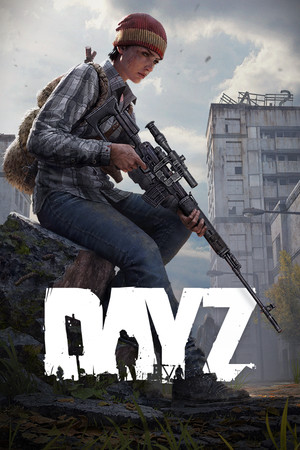
- Platform
- Windows 10 and 11
- In SLARP
- Steam · DayZ_x64.exe
- Game anti-cheat
- BattlEye1
- Trial
- 72 hours, no card
SLARP and DayZ
DayZ is in the SLARP catalog as a Steam game: the app recognizes it by the DayZ_x64.exe process. Official server or community server — you decide that in the server browser, and SLARP carries the game's traffic to the server you chose.
Some community servers do not let in players from data center addresses. If a server refuses you with SLARP but lets you in direct, play on it direct: “Don't accelerate (direct)” in the game's menu in SLARP.
What SLARP does
Routes DayZ through its own network and optimizes ping and jitter
Picks the route to the server: the node is chosen for you, or you choose a city
If the connection drops, it finds a fallback route
Everything else on your PC runs as usual
What SLARP does not do
Does not change the region or the server in the game — you pick those in the game itself
Does not raise FPS and does not fix stutter caused by load on your PC
Will not help when the game's own servers are down
Works only on Windows 10 and 11: SLARP does not run on a phone or a console
Does not decide whether a community server lets you in: its owner sets the entry rules
DayZ servers
In the DayZ server browser, servers are laid out in tabs. According to the wiki, the tabs are:2
- Official — Bohemia Interactive's servers
- Community — players' servers
- Favorites, Recent, Friends
- LAN — local network
Official servers are run by Bohemia Interactive, with no mods. Your character on them is shared across all official servers, but separate for first-person-only (1PP) and third-person (3PP) modes. Each community server has its own database, and a character from official servers does not carry over.
Bohemia Interactive says plainly in its news that community servers are free to change their maps. So the same area can look different on different community servers.3
How to see your ping in DayZ
The ping to a DayZ server is shown by the server browser. According to the wiki, the steps are:2
- In the main menu choose Change Server: the server browser opens. The Play button simply connects to the last server. Change Server
- In the list on the left, each server has a Ping column. It depends both on your connection and on the distance to the server.
- The filter panel on the right has a Ping filter: it hides servers whose ping is above the set threshold. You can raise the threshold to see servers abroad, but the wiki warns: the higher the ping, the more lag and desync in fights.
The wiki describes the server browser as of late 2024.
Menu items are named as in the source, in English: localized versions of the game translate them.
If DayZ stutters
High ping even on nearby servers
The Ping in the browser depends not only on distance but also on your connection. If it is high even for servers nearby, check Wi-Fi and background downloads. SLARP picks the route to the server through its own network and watches ping, jitter and loss, but it does not shorten the distance to the server.2
Desync in firefights
According to the wiki, a server with a high ping has lag and desync more often, especially in fights. So it is better to pick a server closer to you. A distant server's latency will remain: SLARP picks the route and optimizes jitter and loss, but it cannot undo the distance.2
A community server refuses you
The server owner decides whom to let in. Some community servers do not accept data center addresses, and SLARP carries the game through its own network. If a server refuses you with SLARP but lets you in direct, take DayZ off acceleration and play on that server direct.
More in the guides: How to see your ping in games: CS2, Dota 2, Apex, Battlefield 6 and more · Servers and regions: how distance to the server affects ping
Anti-cheat and SLARP
DayZ's anti-cheat is kernel-level BattlEye, as stated on the game's Steam page. The same page warns that after uninstalling DayZ the anti-cheat has to be removed manually. According to the wiki, the server list has a BattlEye icon: white means the server is protected by the anti-cheat, gray means it is not.1,2
Game mode does not inject into the game and does not install an intercept driver on its traffic. We cannot vouch for publishers and their anti-cheat: they decide for themselves what counts as a violation.
If the game complains, take it off acceleration (“Don't accelerate (direct)” in the game's menu) and press “Report a problem”.
How to start
Download and install
Windows 10 and 11
Open SLARP and sign in
No account yet — press “Start: 72 hours free”. Email or Telegram, no card needed
Pick DayZ and connect
SLARP finds the installed game on its own
Questions about DayZ
How do I see my ping in DayZ?
In the main menu press Change Server. In the server browser each server has a Ping column, and the Ping filter in the panel on the right hides servers with a ping above the threshold.
How does an official server differ from a community server?
Official servers are run by Bohemia Interactive: no mods, and your character is shared across all official servers, separately for 1PP and 3PP. Community servers are run by players: each has its own database and its own rules, and the maps there can change.
A server refuses me with SLARP. What do I do?
Some community servers do not accept data center addresses. Take DayZ off acceleration: “Don't accelerate (direct)” in the game's menu in SLARP. If the server refuses you direct as well, it is about its rules, not SLARP. If an official server behaves this way, press “Report a problem”.
Do I need to remove BattlEye after DayZ?
Yes: per the game's Steam page, the BattlEye anti-cheat has to be removed manually after uninstalling DayZ. SLARP is not tied to BattlEye: it does not inject into the game and does not change its files.
Will there be automatic charges?
No. Access does not renew on its own — you renew it manually.
Similar games
 Rust
Rust Hunt: Showdown 1896
 PUBG: Battlegrounds
 Team Fortress 2
 Counter-Strike 2
Sources
- Bohemia Interactive: DayZ on Steam: anti-cheat notice — checked 6 October 2026
- DayZ Wiki (wiki.gg): DayZ Wiki: Servers (revision of 5 December 2024) — checked 6 October 2026, wiki data
- Bohemia Interactive: DayZ: Halloween Event 2024 (29.10.2024) — checked 6 October 2026
Updated 6 October 2026
DayZ is a trademark of Bohemia Interactive. SLARP is not affiliated with Bohemia Interactive and names the game only to state compatibility. The cover is loaded from the Steam CDN.