

Game accelerator for Team Fortress 2
SLARP for Windows optimizes ping and jitter in TF2.
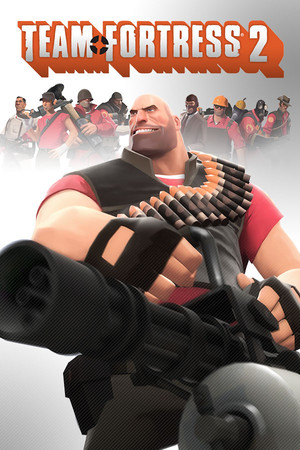
- Platform
- Windows 10 and 11
- In SLARP
- Steam · tf_win64.exe, tf.exe
- Game anti-cheat
- VAC1
- Trial
- 72 hours, no card
SLARP and TF2
Team Fortress 2, or simply TF2, is in the SLARP catalog as a Steam game. The app recognizes it by two processes, tf_win64.exe and tf.exe: whichever starts, SLARP knows it is TF2.
What SLARP does
Routes TF2 through its own network and optimizes ping and jitter
Picks the route to the server: the node is chosen for you, or you choose a city
If the connection drops, it finds a fallback route
Everything else on your PC runs as usual
What SLARP does not do
Does not change the region or the server in the game — you pick those in the game itself
Does not raise FPS and does not fix stutter caused by load on your PC
Will not help when the game's own servers are down
Works only on Windows 10 and 11: SLARP does not run on a phone or a console
Does not touch TF2's settings or console: the commands below are typed in the game itself
TF2 servers
The configuration of Valve's relay network (Steam Datagram Relay) can be read for TF2 too, through the open Steam Web API. It lists no relays in Russia, checked on 6 October 2026. The closest European sites:2
- Stockholm (two sites)
- Warsaw
- Vienna
- Frankfurt
- Amsterdam
These are nodes of Valve's network, not a list of TF2 servers. The configuration does not say which of them a match goes through, so we do not name the server's city. Community servers are run by players and can stand anywhere.
How to see your ping in TF2
In TF2, ping is visible on the scoreboard, and detailed network statistics come from the console, as the TF2 wiki describes.3
- During a match press Tab: the scoreboard opens. Each player's row shows their ping; bots show BOT instead of a number. Tab3
- The console in TF2 is off by default. Turn it on in the advanced keyboard options; it opens with the ` or ~ key.4
- By default the ping on the scoreboard is drawn as signal bars. To see a number, type in the console tf_scoreboard_ping_as_text 15
- Detailed statistics come from the net_graph command with a number from 0 to 4: depending on it, ping, frame rate, lerp and packet loss. net_graph 15
Menu items are named as in the source, in English: localized versions of the game translate them.
If TF2 stutters
Matchmaking puts you on a distant server
According to the wiki, Casual mode looks for a nearby server where a match is just starting. If few servers are free, the conditions loosen: the game may put you into a match under way or into a more distant region. In the update of 15 November 2024 Valve improved the search for players with a less-than-ideal ping, to place them in the best available region sooner. The game picks the match server; SLARP does not change it.6,7
Only your ping is high
Open the scoreboard and compare your ping with everyone else's. If it is high for everyone, the server is far from most players. If it is high only for you, the cause is closer: Wi-Fi, background downloads or your ISP's route. The route is SLARP's part: it picks the route to the server through its own network.3
Ping is steady, but the game stutters
Turn on net_graph and watch the packet loss. If it rises at the moment of a stutter, the network is at fault: try a cable instead of Wi-Fi, and SLARP optimizes ping and jitter on the route to the server for the whole match. If the network is clean but the frame rate dips, that is load on your PC, where SLARP does not help.5
More in the guides: How to see your ping in games: CS2, Dota 2, Apex, Battlefield 6 and more
Anti-cheat and SLARP
TF2 runs Valve's anti-cheat, VAC (Valve Anti-Cheat), as shown in the anti-cheat notice on the game's Steam page.1
Game mode does not inject into the game and does not install an intercept driver on its traffic. We cannot vouch for publishers and their anti-cheat: they decide for themselves what counts as a violation.
If the game complains, take it off acceleration (“Don't accelerate (direct)” in the game's menu) and press “Report a problem”.
How to start
Download and install
Windows 10 and 11
Open SLARP and sign in
No account yet — press “Start: 72 hours free”. Email or Telegram, no card needed
Pick Team Fortress 2 and connect
SLARP finds the installed game on its own
Questions about TF2
How do I show ping as numbers in TF2?
Type tf_scoreboard_ping_as_text 1 in the console: the scoreboard shows numbers instead of bars. If the console does not open, turn it on in the advanced keyboard options — it is off by default.
Which command shows ping and loss in TF2?
net_graph with a number from 0 to 4: depending on it, ping, frame rate, lerp and packet loss. Other players' ping is easier to see on the Tab scoreboard.
Does TF2 have servers in Russia?
Valve's network for TF2 has no relays in Russia: so says its open configuration as of 6 October 2026; the nearest nodes are Stockholm, Warsaw, Vienna and Frankfurt. Community servers are run by players and can stand anywhere.
Does SLARP change the server in TF2?
No. In Casual mode Valve's matchmaking picks the server, and a community server is your own choice. SLARP carries the game's traffic to the chosen server and watches ping, jitter and loss.
Do I need a card for the trial?
No. The 72 hours are given once per account, with no payment and no card.
Similar games
 Counter-Strike 2
 Dota 2
 Deadlock
 Hunt: Showdown 1896
 Apex Legends
 PUBG: Battlegrounds
Sources
- Valve: Team Fortress 2 on Steam: anti-cheat notice — checked 6 October 2026
- Valve: Steam Web API: GetSDRConfig, appid 440 (revision 1790374330) — checked 6 October 2026
- Official TF2 Wiki: Official TF2 Wiki: Scoreboard (revision of 7 April 2026) — checked 6 October 2026, wiki data
- Official TF2 Wiki: Official TF2 Wiki: Console (revision of 21 March 2026) — checked 6 October 2026, wiki data
- Official TF2 Wiki: Official TF2 Wiki: List of useful console commands (revision of 24 August 2026) — checked 6 October 2026, wiki data
- Official TF2 Wiki: Official TF2 Wiki: Casual Mode (revision of 22 June 2026) — checked 6 October 2026, wiki data
- Valve: Team Fortress 2 Update Released (15.11.2024) — checked 6 October 2026
Updated 6 October 2026
Team Fortress 2 is a trademark of Valve. SLARP is not affiliated with Valve and names the game only to state compatibility. The cover is loaded from the Steam CDN.