

Game accelerator for Squad
SLARP for Windows optimizes ping and jitter in Squad.
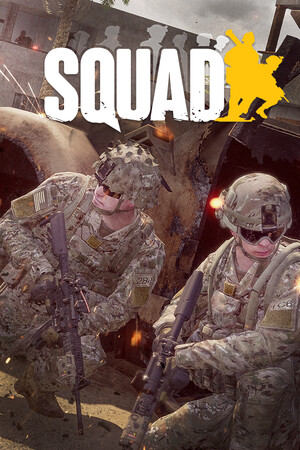
- Platform
- Windows 10 and 11
- In SLARP
- Steam · SquadGame.exe
- Game anti-cheat
- Easy Anti-Cheat1
- Trial
- 72 hours, no card
SLARP and Squad
Squad is in the SLARP catalog as a Steam game: the app recognizes it by the SquadGame.exe process. You pick a Squad server in the game's server browser and SLARP leaves that choice alone: it carries match traffic to whichever server you connect to.
Squad servers are run by license holders, each with its own rules. If a server does not accept connections from data center addresses, set Squad to “Don't accelerate (direct)” in SLARP while you play there.
What SLARP does
Routes Squad through its own network and optimizes ping and jitter
Picks the route to the server: the node is chosen for you, or you choose a city
If the connection drops, it finds a fallback route
Everything else on your PC runs as usual
What SLARP does not do
Does not change the region or the server in the game — you pick those in the game itself
Does not raise FPS and does not fix stutter caused by load on your PC
Will not help when the game's own servers are down
Works only on Windows 10 and 11: SLARP does not run on a phone or a console
Does not affect which servers the server browser shows or in what order
Squad servers
Squad servers are run not by the developers but by license holders: Offworld Industries issues server licenses through its portal, and the game's server browser lists exactly those licensed servers. Where a server stands is up to its owner, so Squad has no single list of cities.2
Check the ping to a particular server in the server browser: it tells you how far the server is.
In update 10.1 (December 2025) the server browser began refreshing itself and showing more servers, and the developers fixed connection problems for players in some regions.3
How to see your ping in Squad
Ping in Squad is visible before you join a match, in the server browser, on every row.4
- Open the server browser in the main menu: every server lists its ping, the latency from your PC to it.
- The filters include a ping limit: servers with a latency above it are hidden from the list.4
- If the list is nearly empty or every server shows an implausibly high ping, up to 9999, move the ping filter to the maximum: according to the developers, for some players probing a large number of servers runs into hardware or ISP limits, and the ping shown then does not reflect the real one.4
Menu items are named as in the source, in English: localized versions of the game translate them.
If Squad stutters
One ping in the browser, another in the match
The browser ping is a short probe before you join, while in a match the server is loaded with players and vehicles, and latency there is its own thing. Compare a few servers with a similar browser ping: if one of them is consistently worse in the match, the cause is that server or the route to it. SLARP works on the route: it carries traffic through its own network and optimizes ping and jitter for the whole match.
Vehicles jerk, hits don't register
Offworld Industries fixed part of this on its side: patch 10.1 fixed vehicle collision bugs at high ping. The rest is the network. Check Wi-Fi and background downloads, compare a cable with wireless: if the cable is steadier, the problem is your home network, and SLARP will not fix it.3
Your favorite server is far away
If the ping to one server is always high for everyone, the server is simply far from you, and SLARP cannot cancel the distance. The server browser shows the ping to each server: pick one with a steady latency, or play on the distant one knowing the cost.
More in the guides: How to see your ping in games: CS2, Dota 2, Apex, Battlefield 6 and more · Servers and regions: how distance to the server affects ping
Anti-cheat and SLARP
Squad runs kernel-level Easy Anti-Cheat, as stated in the anti-cheat block on the game's Steam page. The developers also name it in their answers about update 9.0: because of the anti-cheat, playing on Linux through Proton comes with caveats.1,5
Game mode does not inject into the game and does not install an intercept driver on its traffic. We cannot vouch for publishers and their anti-cheat: they decide for themselves what counts as a violation.
If the game complains, take it off acceleration (“Don't accelerate (direct)” in the game's menu) and press “Report a problem”.
How to start
Download and install
Windows 10 and 11
Open SLARP and sign in
No account yet — press “Start: 72 hours free”. Email or Telegram, no card needed
Pick Squad and connect
SLARP finds the installed game on its own
Questions about Squad
How do I see ping in Squad?
In the server browser: every server lists the ping to it. There is also a ping filter that hides distant servers. If every server shows an implausibly high ping, move the filter to the maximum, as the developers advise.
Does Squad have servers in Russia?
There is no single list: Squad servers are run by license holders, and each decides where its server stands. Check the ping to a particular server in the server browser; it tells you how far the server is.
Does SLARP change the server in Squad?
No. The server is your choice in the game's browser; SLARP carries match traffic to it and watches ping, jitter and loss on that route.
A server won't let me in through SLARP — what now?
Squad servers run by their owners' rules, and some refuse connections from data center addresses. For such a server set Squad to “Don't accelerate (direct)” in SLARP and press “Report a problem” so we know about that server.
Do I need a card for the trial?
No. The 72 hours are given once per account, with no payment and no card.
Similar games
 Hunt: Showdown 1896
 DayZ
DayZ Rust
Rust Arma Reforger
 War Thunder
Sources
- Offworld Industries: Squad on Steam: anti-cheat notice — checked 6 October 2026
- Offworld Industries: Squad: Server Licensing Portal Change (14.08.2023) — checked 6 October 2026
- Offworld Industries: Squad 10.1 Patch Notes - Fireteam (01.12.2025) — checked 6 October 2026
- Offworld Industries: Squad 10.1 Hotfix 2 (10.12.2025) — checked 6 October 2026
- Offworld Industries: Squad: Update 9.0 FAQ (06.09.2025) — checked 6 October 2026
Updated 6 October 2026
Squad is a trademark of Offworld Industries. SLARP is not affiliated with Offworld Industries and names the game only to state compatibility. The cover is loaded from the Steam CDN.